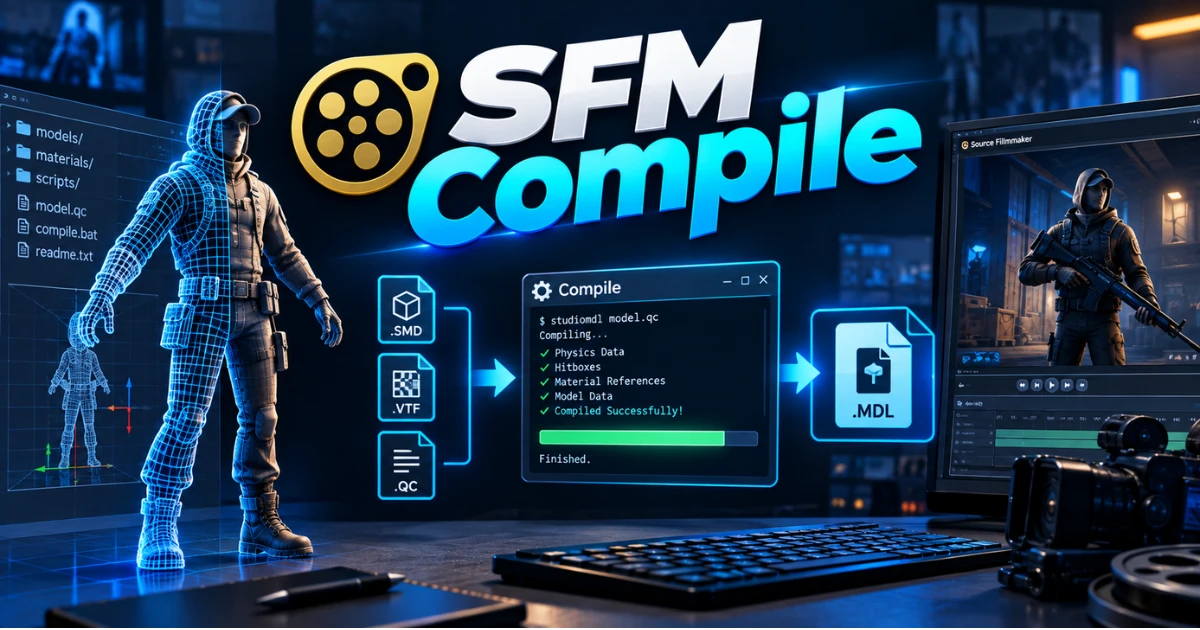
Every Source Filmmaker creator hits the same wall. You download a custom model, drop it into your project, and SFM just won’t read it. That’s because raw files need to go through SFM compile first — the process that turns models, textures, and animations into a format Source Filmmaker can actually use.
What Is SFM Compile
SFM compile is the process of converting raw 3D files into a format the Source Engine can read. Source Filmmaker doesn’t understand files like OBJ, FBX, or PNG on its own. It needs everything translated into its own file types first.
Think of it as a translator between your modeling software and Source Filmmaker. Blender or Maya speaks one language. The Source Engine speaks another. Compiling is what bridges the two.
Raw Formats vs Compiled Formats
Raw 3D assets usually come as OBJ, FBX, or SMD files, with textures in PNG or TGA. Once compiled, models become MDL files, supported by VVD, VTX, and PHY files that handle vertex data, LOD levels, and physics collision. Maps compile into BSP files. Animations compile alongside the model or as separate sequences.
Without this conversion, Source Filmmaker either rejects the file outright or loads it broken.
More Posts: Whistleblew Bird: Which Birds Sound Like a Whistle Blowing?
Why the SFM Compile Process MattersMore Posts:
Compiling isn’t an optional extra step. It’s the foundation of every working SFM project.
Stability Depends on a Clean Compile
A poor or incomplete compile causes missing textures, invisible geometry, and outright crashes. The Source Engine relies on compiled data being structured a very specific way — mesh, bones, textures, and physics all need to line up correctly.
It Connects Every Part of Your Asset
A model’s mesh depends on its skeleton. Animations depend on that same skeleton matching. Textures depend on correct file paths. The compile process is what ties these pieces together so they behave as one working asset instead of separate, disconnected files.
What Gets Compiled in Source Filmmaker
Several different asset types go through SFM compile, and each one plays a different role in your final scene.
Models
Models are the most common thing creators compile. A raw mesh has no structure the engine recognizes until it’s converted into an MDL file with proper bone weights and geometry references.
Textures
Textures need to be linked correctly during compile so they display on the model instead of showing up as a blank or broken surface.
Animations
Animation data has to be compiled against a matching skeleton. If the bone structure doesn’t match, the animation either won’t play or will distort the model.
Scenes and Maps
Full scenes and maps also go through compilation, organizing lighting, cameras, and multiple assets into one structured environment SFM can load reliably.
SFM Compile vs Rendering — What’s the Difference
This is one of the most common points of confusion for new creators, and it’s a fair question.
Compiling Prepares. Rendering Produces.
SFM compile converts and prepares your raw assets so the engine can use them. Rendering is the completely separate step where SFM takes your finished scene and turns it into a playable video or image sequence.
You can’t render around a bad compile. If a model or texture didn’t compile correctly, that problem shows up in your final render too.
More Posts: BlueFlamePublishing: A Complete Guide to the Blog, Its Topics, and Its Content
Essential Tools for SFM Compile
You need more than just Source Filmmaker to compile assets properly.
Studiomdl
Studiomdl.exe is Valve’s original command-line compiler. It lives in your SFM installation folder and reads QC files to produce the final MDL output. It’s powerful but requires comfort with terminal commands.
Crowbar
Crowbar is a graphical alternative built for people who don’t want to use the command line. It handles both compiling and decompiling, and shows a visual log while it works — making it the more beginner-friendly option.
Blender, Maya, and 3ds Max
Blender is the most widely used tool in the SFM community, mostly because it’s free and has a huge plugin ecosystem for Source Engine exports. Maya and 3ds Max are paid alternatives, often used by studios or more advanced creators, typically costing well over $1,700 a year for a license.
Notepad++ for QC Scripting
Since QC files are plain text, a lightweight code editor like Notepad++ makes editing and debugging them far easier thanks to syntax highlighting.
How to Compile a Model for SFM Step by Step
Here’s the actual workflow creators follow to compile a model correctly.
Prepare Your Assets First
Keep polygon counts reasonable — generally under 60,000 triangles for smooth performance. Build your bone hierarchy following standard Source Engine conventions, and export your mesh and physics collision as separate SMD files. Double-check every texture path before moving forward.
Create the QC File
The QC script is essentially the recipe for your compile. It tells the compiler what to include and where everything lives.
| QC Command | What It Does |
| $modelname | Sets the output file name and path |
| $body | Points to the main mesh SMD file |
| $cdmaterials | Points to the texture folder |
| $sequence | Defines animation data |
| $collisionmodel | Sets the physics mesh |
Accurate file paths here prevent the majority of compile failures.
Run the Compiler
If you’re using the terminal, navigate to the bin folder and run studiomdl.exe with your QC file as the argument. If you’re using Crowbar, just select the compile tab, browse to your QC file, and watch the log.
Verify the Model in SFM
Open Source Filmmaker, find your model in the asset browser, and drag it into a scene. Check that textures display correctly, the rig poses properly, and physics collision behaves as expected.
Common SFM Compile Errors and How to Fix Them
Almost every creator runs into the same handful of problems.
Purple and Black Checkerboard Textures
This classic error means your texture path is wrong or the material file is missing. Go back to your $cdmaterials line and confirm it matches your actual folder structure.
Invisible or Oddly Scaled Models
Usually caused by a scale mismatch between your modeling software and Source units. Double-check your export settings before compiling again.
Broken Rigging or Posing
If bones don’t move correctly, the skeleton likely doesn’t match what the animation expects. This is one of the more time-consuming fixes since it usually means going back into your 3D software.
Compile Crashes on Load
A corrupted compile often traces back to an incomplete file, a missing reference, or a QC error. Check your compiler’s log output — it usually points to the exact line causing the problem.
Best Practices for Preparing Files Before You Compile
Most compile errors trace back to disorganized files, not the tools themselves.
Keep a Clean Folder Structure
Separate your models, materials, and QC scripts into their own folders. This alone prevents a huge number of path-related errors.
Test Early and Often
Compile after small changes instead of waiting until the whole model is finished. It’s much easier to isolate one broken element than to debug an entire character at once.
Study Existing Models
Decompiling professional assets with Crowbar is a common way experienced creators learn proper structure and QC formatting.
Advanced SFM Compile Techniques
Once the basics feel natural, there’s more room to refine your workflow.
LOD Systems
Level of detail (LOD) setups swap in simpler versions of a model at a distance, improving performance in busy scenes.
Facial Flexes
Flex controls allow detailed facial expressions, which is a major part of what makes SFM animation feel expressive and alive.
Batch Compiling
For projects with many assets, batch scripts and light Python automation can compile multiple models in sequence instead of one at a time.
Do You Need to Recompile After Editing a Model
Yes. Any change to a model, texture, or animation requires a fresh compile. Source Filmmaker only reads the compiled version, so it has no way of knowing about edits made after the last compile.
More Posts: What Is Young18gye? Meaning, Safety, and Facts
Conclusion
SFM compile is what turns raw models, textures, and animations into something Source Filmmaker can actually use. Get your QC file right, keep your folders organized, and test often — and most compile errors become easy to catch before they ever reach your final render.
FAQ’s
What file formats does SFM compile accept?
SFM compile works with SMD and DMX mesh files along with QC scripts. The output includes MDL, VVD, VTX, and PHY files, which Source Filmmaker needs to load the asset correctly.
How long does SFM compile take?
Simple props usually compile in seconds. Detailed characters with multiple animations and LODs can take several minutes, depending on your computer’s specs.
Can SFM compile work with Source 2?
No. SFM compile targets the original Source Engine used by Source Filmmaker. Source 2 uses a different asset pipeline and requires its own separate tools.
Why do compiled models show purple textures?
Purple and black checkerboard patterns mean a texture file is missing or its path doesn’t match what’s listed in the QC file. Fixing the material path usually resolves it.
Does SFM compile require programming knowledge?
No. Basic QC scripting only involves simple text commands, and most standard models don’t need any programming at all. Advanced automation is where light scripting knowledge becomes useful.
Is SFM compile the same as rendering?
No. Compiling prepares and converts your raw assets. Rendering is the separate step that produces your final video or image output once everything is compiled correctly.

I’m Will Smith, creator of KnockPunJokes.com. I share funny jokes, puns, and knock-knock laughs to spread happiness and brighten everyday moments with humor.